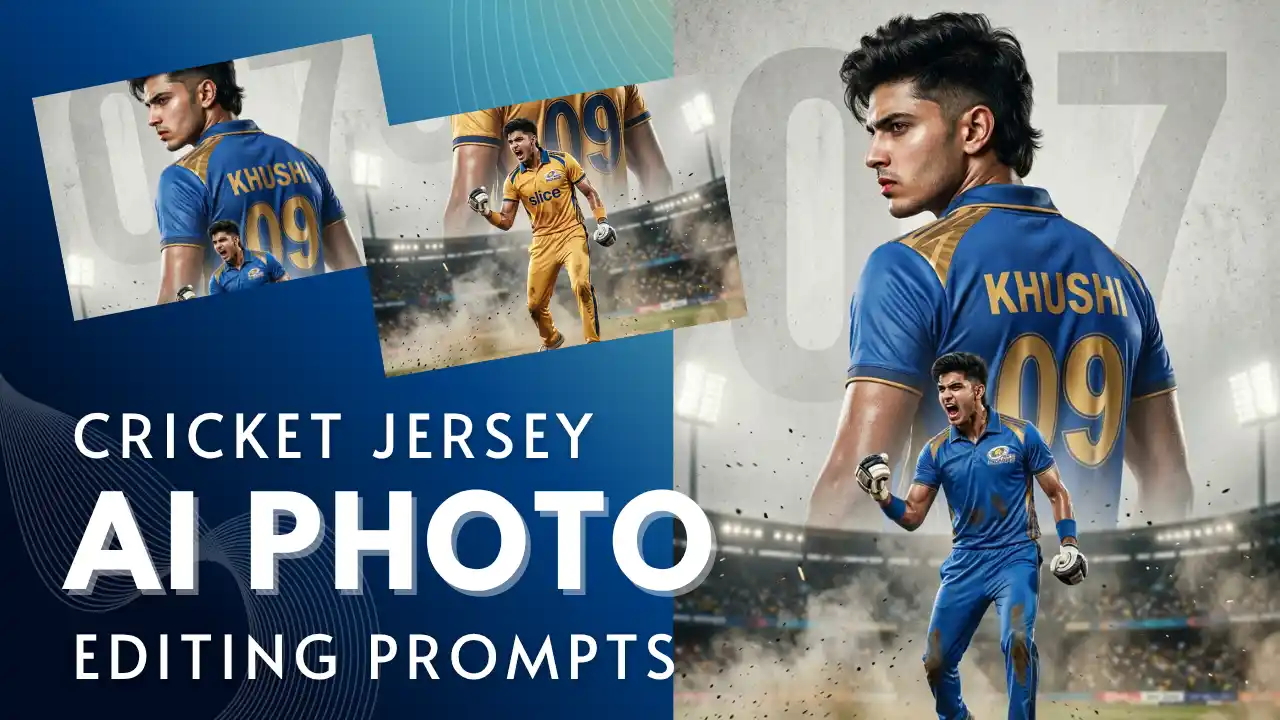
Cricket fever has been all around the globe, with various cricketing action being played across various parts of the world. Cricket lovers and fans can enjoy the cricketing action by posting their photos wearing their favourite team’s jersey, with their favourite cricketer and team. You do not need to visit the stadium or the players to have your photos with them anymore. AI has made it simple and easy to turn your dream into reality by helping you create photos based on your creativity. AI photo-editing tools such as Nano Banana by Google Gemini and ChatGPT help you create your creative image in just a few seconds. These AI tools turn your creativity into an image without any editing skills or premium editing tools; all you need is a simple, well-written prompt based on the result you want. You can create images with any celebrity or cricketer in any pose and background, which looks realistic with correct style, lighting, pose, and overall composition of the image.
In this article, we provide the best prompts to create cricket jersey photos with your favourite celebrities in high-quality, along with the tips to generate the best photos that look realistic, where you are wearing your favourite team’s jersey, along with a step-by-step process for the same.
Why Using the Right Prompts Matters
Although AI makes it simple and easy to generate the images as per your creativity and dream, it becomes very important to write the right prompt so that you get the best result. The quality of the result generated by the AI image generation tools depends completely on the prompts and instructions you provide. Giving the right prompt to the image generation website ensures that:
- The image generated looks realistic with accurate facial details
- The pattern and colour of the jersey match the current team jersey accurately
- The lighting and background of the image look live and realistic
- You do not need to edit your picture later
- The composition of the image is like that of a photo taken in reality
The better the prompt you provide, the better the result of the image generated. With the right prompt, you can generate professional, high-quality photos easily in just a few clicks.
What Makes a Good Gemini Prompt
The result of the image generation tools depends on how detailed you write your prompt for creating your image. You need to understand the image that you want to generate based on your idea and creativity. You need to consider the following things while writing your prompt for editing your photos in Gemini:
- Mention the name of the stadium or the celebrity with whom you want your photo
- Upload the reference image so that you get high-quality, realistic photos
- Make sure you mention the name of the team correctly, along with the jersey pattern and colours
- Write the details of the subject, outfit, background and style of the image to be generated
- Mention the background that you want in your image, such as stadium, crowds, players and so on
- Always add the style of the image you want to generate by mentioning the quality and style of the image clearly
Prompts to Create Cricket Jersey Photos with Gemini
It is not always easy to convert your creative ideas into a prompt, and writing a prompt correctly can sometimes be challenging. This is where ready-made well structure prompts become helpful for creating your image. Here is a list of prompts to create cricket jersey photos with your favourite team and jersey, which can simply be copied and pasted in Gemini for image generation.
Indian Cricket Fan Image Prompt: A hyper-realistic cinematic photograph of an extremely passionate Indian cricket fan inside a packed night cricket stadium. The fan is wearing a blue Indian cricket jersey, draped with the Indian tricolour flag around the shoulders. Face painted with bold tricolour stripes and Ashoka Chakra detailing, expressive eyes, mouth open mid-cheer, showing intense emotion and national pride. Holding a cricket bat whistle, and a stadium horn in my hands. Bright stadium floodlights glowing in the background, crowd cheering with Indian flags waving, shallow depth of field, dramatic lighting, ultra-detailed textures, sharp focus, high contrast, vibrant colours, 4K realism, DSLR photography style, cinematic sports photography, Take Face From Uploaded image, Keep same 100%.
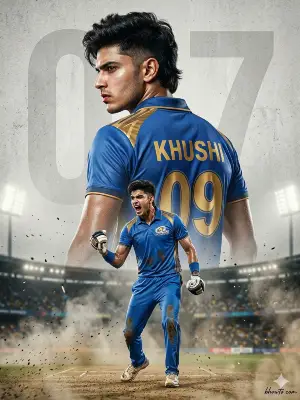
IPL Cricket Fan Image Prompt: A cinematic dual-pose cricket poster of a young man wearing the Mumbai Indians (MI) kit, set against a textured light-grey background with a faded “45” behind him. One pose shows his back view in a royal blue and gold MI jersey with “RO – 45”, turning slightly for an intense side profile. The foreground captures a powerful celebration, fist clenched and roaring with victory.Features photorealistic athletic detail, subtle sweat, cinematic smoke, dust, and sparks, dramatic stadium lighting, high contrast, and ultra-sharp 8K quality.
World Cup Winning Image Prompt: Keep my face same as reference. Ultra-realistic walking celebration at Narendra Modi Stadium. I walk on pitch holding trophy with Ishan Kishan, Shivam Dube, Tilak Varma, Axar Patel, Arshdeep Singh, Jasprit Bumrah. Stadium lights, cheering fans.
How to Create Cricket Jersey Photos with Celebrities
You do not need any expensive editing tools or editing skills to edit your photos with your favourite celebrity, as you can create your image easily on Gemini with the right prompt. You can create a realistic, high-quality image in just a few clicks with these steps:
Step 1: Open the Gemini app or website on your mobile.
Step 2: Upload your reference image in which your face is clearly visible.
Step 3: Copy any of the prompts provided above and paste it with the reference image.
Step 4: Make changes to the prompt by changing the name of the team, player and jersey number.
Step 5: Add the style, background, lighting and quality of the image.
Step 6: Click on the send button to generate your image.
Step 7: Download the image and save it to your mobile.
Tips to Get Better Results from Gemini
A few small changes to your prompt and a few tips would help you to get the best results as compared to the normal image generated by everyone. You need to follow these tips to get the best results with Gemini:
- Make changes to your prompt if the result doesn’t satisfy you
- Make sure your prompt is simple and clear with proper instructions
- Avoid using a lengthy prompt with unnecessary details
- Mention the style and quality of the image clearly
- Try using different lighting, background and stadium for better results
- You can also upload the image of the jersey or the celebrity for a perfect output
Common Mistakes to Avoid
An incorrect prompt would lead to inaccurate photos that don’t match your creativity and ideas. You need to avoid various mistakes while generating your image with Gemini. You should avoid the following mistakes to create your image:
- Writing simple prompts without adding image details
- Not uploading a clear reference image
- Not mentioning the name of the team, jersey number and stadium
- Adding unnecessary details to your prompt
- Avoiding image details such as lighting, background and texture
Conclusion
It is very important to give proper instructions to the image generation sites for creating cricket jersey photos with celebrities. The quality of the image generated depends completely on the prompt you give, along with your reference photo. You can flex the image generated by posting it to your stories, reels, posts and stories on various social media platforms. The images generated are very realistic, as if you had taken the photo in real life, if you give the right instructions. Always experiment with the prompts until you get the result that visually attracts you. You can make changes to your prompt with accurate image details so that your image is visually appealing to the viewers. You can use the ready-made prompts provided in this post if you want to avoid typing your prompt manually.