Driving Licence is a very important document required to be legally eligible for driving and riding your vehicles. You can now apply for a driving licence from your phone without visiting the government offices and waiting in a long queue. The online application of driving license helps you save time and reduce the paperwork for the process. You can apply for either a learner’s licence or a permanent driving licence using your phone from your home, skipping long lines in the queue. Online application of driving licence allows you to fill out forms, upload documents, book test slots, and track your application status from your phone at your convenience.
In this article, we provide the steps to apply for a driving licence online using your phone in minutes, so that you can get your driving license to be eligible for driving, along with the documents required and a step-by-step process for the same.
Why Apply for a Driving Licence Online
The application for a driving licence by visiting a government office is a complex process, which is time-consuming as you need to wait in long lines for your turn. The online application for a driving licence is introduced to make the application process simple and easy for individuals. In addition to these, there are various other advantages of applying for a driving licence online:
- You can fill out your application form online at home
- You can book an appointment for a driving test online at your convenience
- No paperwork required for document upload and verification
- You can easily track your application status using the application number on your phone
What You Need Before Starting the Application
It is simple and easy to apply for a driving license online using your phone from home, but you must take into consideration the following points before starting the application process. This would help you complete the application process smoothly without any issues:
- A strong internet connection and a smartphone
- Educational certificates, such as a marksheet or a passing certificate
- Proof of address and proof of identity (Aadhaar card)
- Passport-sized photograph and your signature (signed on plain paper)
- Age proof, such as a Pan card, marksheet, or birth certificate
- Online payment option (Debit card, UPI, net banking, etc.)
You can create a professional passport-sized photograph for your application from your normal photos using the passport-sized photo maker tool.
Steps to Apply for a Driving License Online Using Your Phone
To be eligible to drive your vehicle legally in any country, you need a driver’s license. The application process for a driving license may be a little time-consuming if done from a government office. You can complete the entire driving licence application online through these steps:
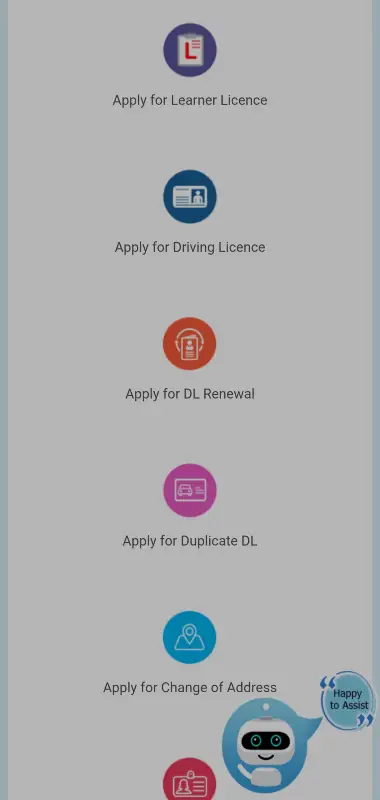
Step 1: Connect your phone to an internet connection and open a web browser.
Step 2: Visit the Parivahan website, the government official driving licence website.
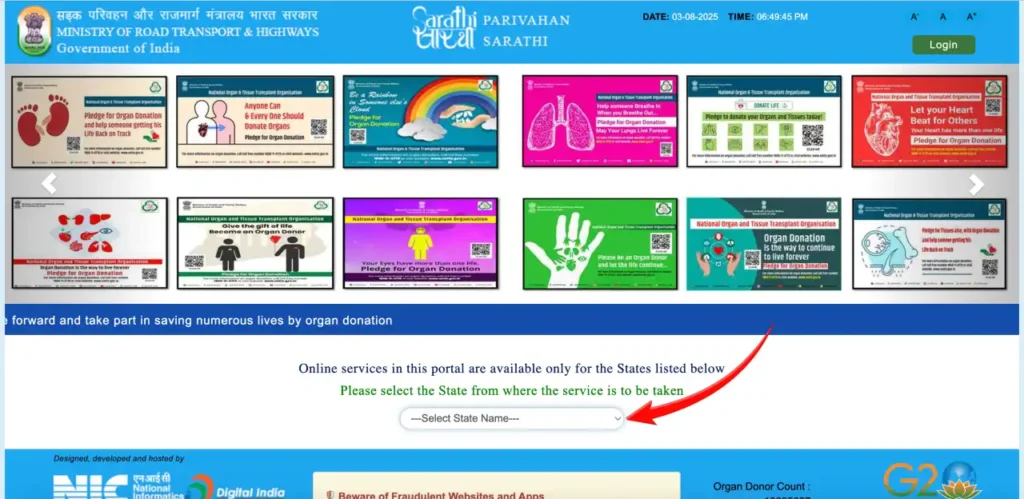
Step 3: Choose a driving license from the two options available.
Step 4: Register on the website with your mobile number.
Step 5: Select the licence type that you want (learner’s licence or permanent driving licence).
Step 6: Fill out the application form correctly with your personal details.
Step 7: Upload the required documents, photograph, and signature.
Step 8: Select the date and time for your driving test.
Step 9: Submit the form and pay the application fee to complete the application.
Step 10: Note the application number to track the status later.
What Happens After You Apply
Fill the application form accurately with your correct personal details. Upload clear and correct documents to support your application to avoid rejection of your form. You can track the status using the reference number provided at the time of form submission. You would get your learner’s licence, after which you can book an appointment for a driving test.
You would need to visit the RTO office for the driving test on the scheduled date and time. Your driving licence would be issued digitally, or you can get a physical copy from the nearest RTO once the application is verified and approved.
Common Mistakes to Avoid
To avoid rejection and ensure a smooth application process, you must avoid these common mistakes that users usually make:
- Upload correct and clear documents matching your details
- Make sure you enter your details correctly as per your documents
- Visit the driving test center on the scheduled date and time
- Do not miss your driving test on your appointment date
- Review the application form twice before final submission
- Screenshot the application reference number to track the status later
Conclusion
Applying for a driving licence from your phone online is a simple, easy, and time-saving process. You can apply for your driver’s licence from your home without visiting any government office. The entire application process can be completed at your convenience from anywhere, with the correct details and documents. The steps mentioned in this post would help you complete the process smoothly. To ensure that no issues come up during the process, keep the documents prepared in advance and keep tracking the application process to get your licence.
1 thought on “How to Apply for a Driving Licence Online Using Your Phone”