

Adding captions to your reels or videos is a very essential tool to improve audience retention and engagement on any content for social media content creators. It has been observed that content with captions has higher views and engagement as compared to content without captions. Caption on Instagram reels not only makes your videos more accessible to users with hearing impairments or when the audio is muted, but also increases viewer engagement and views. Instagram has in-app features that allow you to add captions easily and efficiently.
In this article, we provide how to add auto-captions to your Reels, making sure that your content is clear and understandable, which makes it professional and engaging, along with a step-by-step process for the same.
Why Auto-Captions on Instagram
Auto-captions use speech recognition technology to automatically reflect the spoken words as text in the video by converting spoken words into onscreen text in your video. This helps the audience and viewers watching the videos to understand and follow the video better, especially when the audio is muted or when the viewers don’t want to listen to the audio in the video.
Auto-captions play a vital role in making the content engaging and accessible to reach out to wider audiences, which ultimately increases the views and engagement of the videos. Captions also help in making the content understandable when users may not understand the language fluently.
Why to Post Reels with Captions on Instagram?
It has been proven that content that has captions performs better than content without any captions. In an experiment where a user posted the same video twice, once without caption and one with caption on the screen, it was identified that the reel that has caption on the video had better reach and higher engagement.
You may think that it is difficult to edit your videos with captions on the screen for everything you speak. It may be time-consuming to add captions manually to your videos and difficult because you need to add captions for the things you speak. This is not the case anymore, as Instagram allows you to add captions to your reels automatically on the Instagram app itself without any external editing apps.
Steps to Add Auto-Captions to Instagram Reels
You can make your content engaging and understandable by adding captions to it, and you can get it done automatically with the steps mentioned in this guide. Follow these quick steps to add captions automatically and make changes accordingly if needed:
Step 1: Open the Instagram app on your mobile device and log in if needed.
Step 2: Tap the “+” icon and select “Reel” from the options.

Step 3: Record a new video or upload one from your gallery.
Step 4: Tap “Preview” and then tap the “Aa” text icon at the top.
Step 5: Select the “Captions” sticker from the sticker tray.
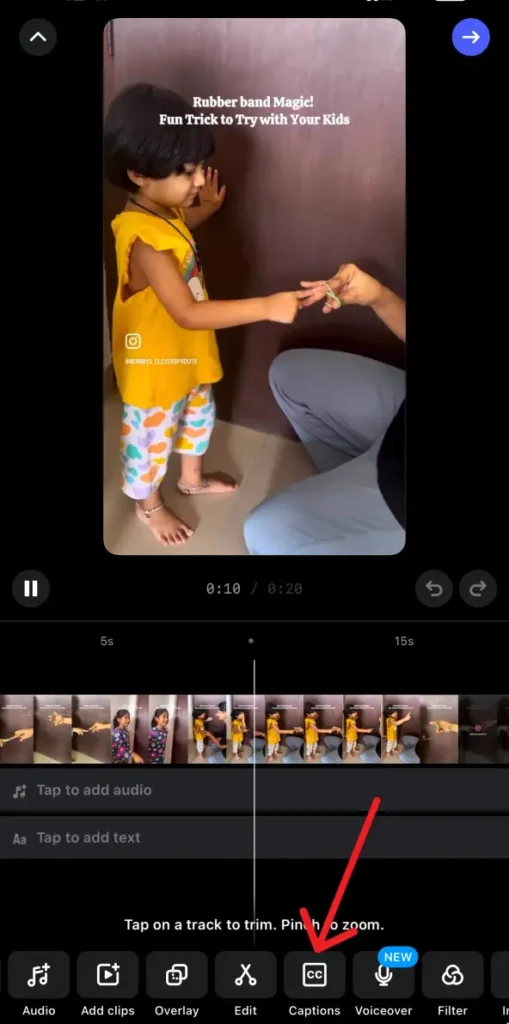
Step 6: Make changes to the font, color, and position of your captions.
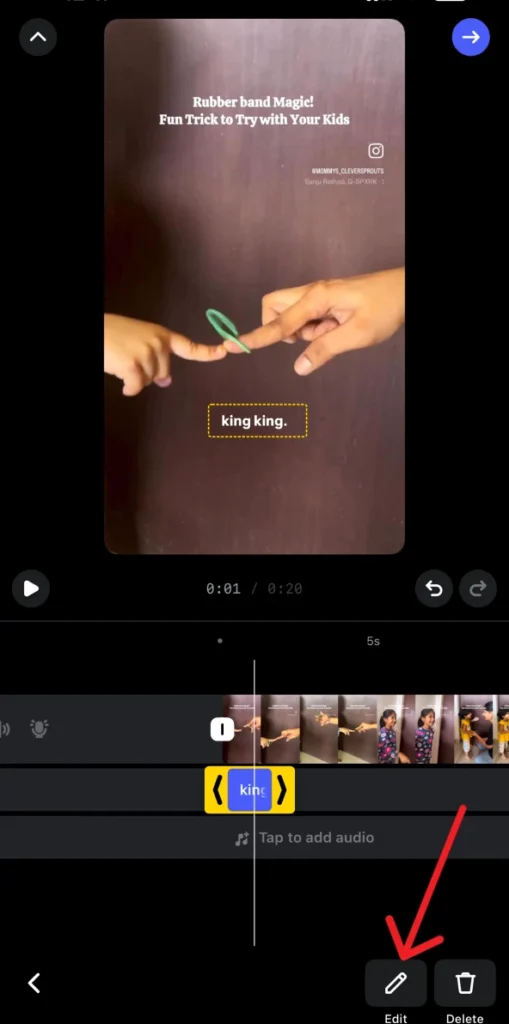
Step 7: Review the captions and edit any errors manually.
Step 8: Tap “Next,” add your post details, and share your Reel.
Conclusion
Adding captions to your reels and videos helps you to reach a better audience as it makes the reels engaging. Users find content with on-screen captions on your videos attractive and meaningful. It is simple and easy to add captions to your Instagram Reels and Videos, which can be done in a few quick clicks. Though the process for adding auto-captions might be simple, the impact it has on viewers to make your videos more engaging and accessible is worth talking about. The captions added automatically may not always be 100% correct; you must take a few moments to review the video along with the captions and customize accordingly, such that the message in the video is delivered clearly and concisely.